 Zoomosaic
Pick the best AI-generated images, fast
Image generators produce dozens of variations per prompt and hundreds per session. Zoomosaic puts every output on one canvas, groups the near-identical ones, and lets you pick the winners from the keyboard.
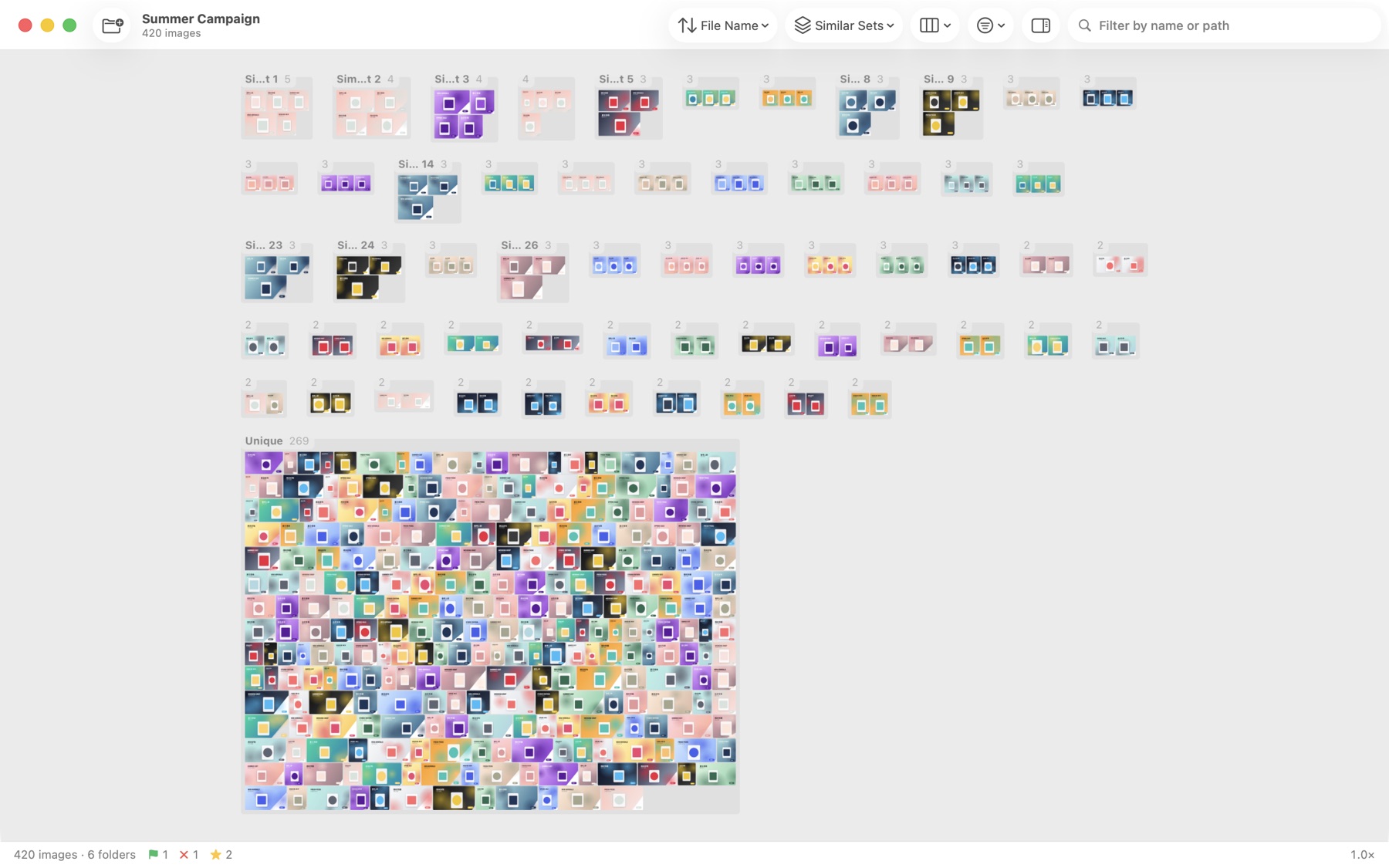
Generation folders are full of near-duplicates: the same seed with small changes, upscales, re-runs, slightly different crops. Scrolling a file list or a web gallery makes comparing them slow.
On a canvas you see every variation together, and you can zoom into any of them to check hands, text, faces and artifacts at actual pixels before you decide.
How to do it
- Drop your output folder onto Zoomosaic. PNG, JPEG and WebP files from any generator open as they are.
- Group by Similar Sets to cluster variations of the same idea, or sort by Visual Similarity to line up look-alikes.
- Press Space to focus one image and ⌘1 to inspect it at actual pixels.
- Press P for keepers, X for misses, and 1–5 to rank the finalists.
- Filter to Picked and copy them to a folder, or ⌥-drag them straight into your design tool or chat.
Tips
- Group by Orientation or Same Dimensions to separate aspect ratios and upscales.
- If your tool writes prompts or seeds into file names, type a word into the filter field to narrow the wall.
- Sort by Color to find variations that fit a palette.
Questions and answers
Does Zoomosaic read prompts or generation metadata?
Not today. It works with the image pixels and file names. If your tool puts prompts or seeds in file names, the name filter finds them.
Are my images sent to any AI service?
No. All analysis runs on your Mac and nothing is uploaded.
Can it handle thousands of generations?
Yes. Folders with tens of thousands of images stay smooth, and repeat opens use a local cache.